December 27, 201411 yr I'm also out. I have the motor swap mostly finished but just don't have enough time to work out the kinks and make sure its running good.
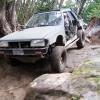
December 28, 201411 yr Sell me that rx before you decide to beat it up lol Oh it's getting a 2 inch lift and a EJ 2.2 liter hear this spring Can't wait cuz its going to be a wheeling machine You already know what I can do you seen it at WCSS I could never sell the car I'm too attached to it but that also doesn't mean I won't wheel it either I also attached that photo you notice your rig is sitting right behind me
December 28, 201411 yr Even with 27" tires and a 2" lift you will incur some body damage. Walker is definitely a lot more rough than a flat mud pit at WCSS. With my 2" lift I smashed my doors, rockers, bumpers, body, hatch, and fenders. Even with a 6" and 29" tires I still scrub on stuff. Its your car so do what you want but expect it to get receive some sort of damage.
December 29, 201411 yr Author ware are all the pictures from this trip I think all of us have had Christmas and family stuff going on this weekend. I'll be posting up a report later, but it was an awesome trip!! Josh

Please sign in to comment
You will be able to leave a comment after signing in
Sign In Now