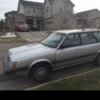
January 8, 201610 yr does anyone have a used loyale hub cap like this 1 just sitting around they'd wanna get rid of cheap? i have 3 of 4 & its really bugging me. i have to throw 13's on it for the next 3 months untill i lift it & get the final wheels & tires on thx ,chris
January 8, 201610 yr I do, I was fixin to throw them away the other day. Pay for shipping I will send them to you, I have 4 if you want them. not sure on how to transfer the $
January 9, 201610 yr Believe I still have the 4 off the '92 parts Wagon. edit; Seems I still can't quote any post on here. This was for I75eya. end edit Edited January 9, 201610 yr by TomRhere
January 9, 201610 yr Believe I still have the 4 off the '92 parts Wagon. edit; Seems I still can't quote any post on here. This was for I75eya. end edit I had the same quote problem too. click on the little square icon in the upper left hand corner of the comment box and then hit quote and it should work.
January 9, 201610 yr Can I have one too?! I'm in the same boat! Maybe split two and two?It's up to Loyalewithcheese I promised him the 4 but if he doesn't want them all I am willing to send one your way
January 12, 201610 yr Update: I finally got one. Getting a set of ea81 wheels too off an 84 sedan in the junkyard!

Please sign in to comment
You will be able to leave a comment after signing in
Sign In Now