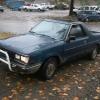
June 3, 200421 yr Today, I snatched an XT 6 alternator... wich will bolt right into my car, all I have to do is change the pully. Also descovered an 83 GL Coupe, with electric windows and mirrors, sense my brat already has the wireing for the electric mirrors, I'm gonna just buy the whole doors and wire in the windows and mirrors into my current doors.
June 3, 200421 yr I just got my XT-6 alt from gabe today, i'm gonna wait to put it on until i get the engine issues sorted out, but probably within the month. good luck with the swap
June 3, 200421 yr Author yup! I actually gotta figure out when I'm gonna be able to come down there, work's been working me alot lately so I haven't had much spare time to run over there, hows sunday sound? As for the xt6 alternator, it's bolt in, but I gotta figure out if the wireing is the same, it has the same 3 plugs, but on the xt6, it was 2 spade connectors instead of a whole plug for the two small wires. Anyone know how that works?

Please sign in to comment
You will be able to leave a comment after signing in
Sign In Now