April 23, 20178 yr I've seen pdfs for ea to ej22 obd1 but I am looking for an ea to ej25 obd2. Just acquired my second 2.5 this one has everything just a blown headgasket but I also have a brand new headgasket kit and it might just get a full rebuild anyways. So starting my checklist now.
April 23, 20178 yr It's all the same just slightly different from different wiring. I would just build a frankenmotor with 2.2 heads using a 95 or 96 obd2 setup.
April 23, 20178 yr EJ25's in stock form will not fit without frame rail modifications. Lots of people have done EJ25 with EJ22 phase I heads. GD
April 23, 20178 yr Author EJ25's in stock form will not fit without frame rail modifications. Lots of people have done EJ25 with EJ22 phase I heads. GD I thought that was just ea81s? I saw the same concerns on another couple posts but then they had others saying that the ea82 is wider and can fit any subie motor without modification
April 23, 20178 yr That's possible. I hadn't considered which EA you would be putting it in. I have this problem where EA82's are dead to me.... GD
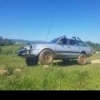
April 24, 20178 yr Author That's possible. I hadn't considered which EA you would be putting it in. I have this problem where EA82's are dead to me.... GD Lol my only issue with mine was man made... long story short use engine stands not plastic chairs, but yea supposedly the dohc and sohc will fit in an 82 just not the 81s without notching.

Please sign in to comment
You will be able to leave a comment after signing in
Sign In Now