Skip to content
View in the app

A better way to browse. Learn more.

Ultimate Subaru Message Board

A full-screen app on your home screen with push notifications, badges and more.

To install this app on iOS and iPadOS
  1. Tap the Share icon in Safari
  2. Scroll the menu and tap Add to Home Screen.
  3. Tap Add in the top-right corner.
To install this app on Android
  1. Tap the 3-dot menu (⋮) in the top-right corner of the browser.
  2. Tap Add to Home screen or Install app.
  3. Confirm by tapping Install.

the ferp420 picture repair thread thanks photofooy

Featured Replies

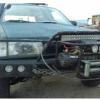
Since photofooy killed all the pics in the threads im starting my own pic thread just for little blue and its transformation from crusty handmedown tradein pos to a running wheeling piece of art built for the local ohv parks in the bay area and to explore the desert with so heres the pics in no paticuler order

Starting point

v1H4gZil.jpg


XYlGnVTl.jpg


Now it looks more like this

zfBGxO7l.jpg

  • Replies 71
  • Views 6.3k
  • Created
  • Last Reply

Top Posters In This Topic

Most Popular Posts

  • thats so cool beast you have. i so envy what cars you guys can drive there. if i would drove that were i live, people would think i'm going to war. lol . 

  • Author

Taking a big rock on the right Z4L7KTDl.jpg

Edited by ferp420

  • Author

This gash in the side wall was a 3 plugger the smaller gashes were sealed by fixaflat


rVGdZXp.jpg

  • Author

nwZAywQl.jpg

Edited by ferp420

Please sign in to comment

You will be able to leave a comment after signing in

Sign In Now

Account

Navigation

Search

Search

Configure browser push notifications

Chrome (Android)
  1. Tap the lock icon next to the address bar.
  2. Tap Permissions → Notifications.
  3. Adjust your preference.
Chrome (Desktop)
  1. Click the padlock icon in the address bar.
  2. Select Site settings.
  3. Find Notifications and adjust your preference.