Skip to content
View in the app

A better way to browse. Learn more.

Ultimate Subaru Message Board

A full-screen app on your home screen with push notifications, badges and more.

To install this app on iOS and iPadOS
  1. Tap the Share icon in Safari
  2. Scroll the menu and tap Add to Home Screen.
  3. Tap Add in the top-right corner.
To install this app on Android
  1. Tap the 3-dot menu (⋮) in the top-right corner of the browser.
  2. Tap Add to Home screen or Install app.
  3. Confirm by tapping Install.

the ferp420 picture repair thread thanks photofooy

Featured Replies

  • Replies 71
  • Views 6.3k
  • Created
  • Last Reply

Top Posters In This Topic

Most Popular Posts

  • thats so cool beast you have. i so envy what cars you guys can drive there. if i would drove that were i live, people would think i'm going to war. lol . 

  • Author

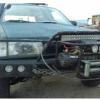
My awsome mount anywere licence plate reciver mounted to the winch


iLwZ4qVl.jpg

  • Author

Stock smogable ea82 vs ea82m non smogable torque monster


ymCf1ajl.jpg

  • Author

I hauled this acrosse town like this lol


WDoOHWil.jpg

  • Author

The start of my second bumper build for this car


u5hLtlil.jpg

Please sign in to comment

You will be able to leave a comment after signing in

Sign In Now

Account

Navigation

Search

Search

Configure browser push notifications

Chrome (Android)
  1. Tap the lock icon next to the address bar.
  2. Tap Permissions → Notifications.
  3. Adjust your preference.
Chrome (Desktop)
  1. Click the padlock icon in the address bar.
  2. Select Site settings.
  3. Find Notifications and adjust your preference.