Skip to content
View in the app

A better way to browse. Learn more.

Ultimate Subaru Message Board

A full-screen app on your home screen with push notifications, badges and more.

To install this app on iOS and iPadOS
  1. Tap the Share icon in Safari
  2. Scroll the menu and tap Add to Home Screen.
  3. Tap Add in the top-right corner.
To install this app on Android
  1. Tap the 3-dot menu (⋮) in the top-right corner of the browser.
  2. Tap Add to Home screen or Install app.
  3. Confirm by tapping Install.

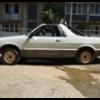
Subaru BRAT long body in Sochi

Featured Replies

Hi guys. The day I bought it! Rare car for Russia! 2013 !

IMG-20130818-WA0008.jpg.52424b849c4299700f1c5710583a3cc7.jpg

Edited by STiAMV

  • Author


After five years of idle time in the garage, I prepared the car for a trip to the restoration workshop, Sochi - Tsiplino distance 1800km from home, much of the body parts rotted.

Glad to see you made it over here STiAMV! 

I forgot that your brumby/brat/MV was one of the Finnish long tray units. 

Cheers 

Bennie

  • Author
19 hours ago, Mitchy said:

I never saw a long one before!

Just did not know about the long body, not yet bought! In the photo on the Internet saw the usual body!

  • Author
8 hours ago, el_freddo said:

Glad to see you made it over here STiAMV! 

Greetings :)

Please sign in to comment

You will be able to leave a comment after signing in

Sign In Now

Account

Navigation

Search

Search

Configure browser push notifications

Chrome (Android)
  1. Tap the lock icon next to the address bar.
  2. Tap Permissions → Notifications.
  3. Adjust your preference.
Chrome (Desktop)
  1. Click the padlock icon in the address bar.
  2. Select Site settings.
  3. Find Notifications and adjust your preference.