Skip to content
View in the app

A better way to browse. Learn more.

Ultimate Subaru Message Board

A full-screen app on your home screen with push notifications, badges and more.

To install this app on iOS and iPadOS
  1. Tap the Share icon in Safari
  2. Scroll the menu and tap Add to Home Screen.
  3. Tap Add in the top-right corner.
To install this app on Android
  1. Tap the 3-dot menu (⋮) in the top-right corner of the browser.
  2. Tap Add to Home screen or Install app.
  3. Confirm by tapping Install.

79 wagon cluster wiring diagram diagram

Featured Replies

hello soobs.

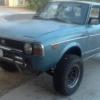
Been a while. Finally got the 79 back on the road, or off road should i say. while lifting it up years ago, i was widening the wheel wels and welding when i got spark inside and torched the dash. Made a custom dash with guages. she then sat a few years and some of the guages got roached. Making new cluster and now got some wiring issues. Does anyone have a closeup of the cluster wiring diagram. found only one while surfing the web but cant make out the color codes.

Cheers.

  • 2 weeks later...

Hey hit me up with an email at moosens@yahoo.com and i can reply with a picture or more. 
 

Also having fun getting my 79 on the road. Sat in a NJ garage for decades. Luckily I don’t YET see and wiring issues but I expect I’ll find a mouse’s effort sooner or later. 

Please sign in to comment

You will be able to leave a comment after signing in

Sign In Now

Account

Navigation

Search

Search

Configure browser push notifications

Chrome (Android)
  1. Tap the lock icon next to the address bar.
  2. Tap Permissions → Notifications.
  3. Adjust your preference.
Chrome (Desktop)
  1. Click the padlock icon in the address bar.
  2. Select Site settings.
  3. Find Notifications and adjust your preference.