September 6, 200421 yr Finished the AWD & 5MT swap yesterday! Took a drive last night. It's quite different. The car handles really well, not sure if it was bushings or the struts or a combination, but it definitely handles much better. I worked out a few issues with the cruise today, had to swap computers, and adjust the clutch pedal clevis pin. Probably best to check out the page I've got setup for pics and info....then me blabbing on http://www.main.experiencetherave.com:8080/subaru/trannyswap.html I'm planning on writing up a pretty detailed list/instructions/info on the swap. I'll post when I finish it.
September 6, 200421 yr Did you check to make sure the cruise control shuts off when you press the clutch?
September 6, 200421 yr He mentioned swapping cruise computers from his MT wagon donor car, so I'm pretty sure he had to make sure that was true before using it. But yes, always good to make sure, don't wanna put the clutch in and blow your engine up
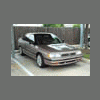
September 6, 200421 yr Nice lookin' car Josh. You've got a great looking car there along with a nice ride also.
September 6, 200421 yr Nice, it's a good conversion. I've done a 93 Legacy and 92 Loyale, but never got around to hooking in the clutch switch. When you get time, additional info on you wiring changes would be great! Thanks, Larry
September 7, 200421 yr Author Thanks guys yeah I wired in the clutch switch, and it does disengage the cruise. I did a little more looking into the cruise thing. If I hadn't switched the cruise relays, the AT cruise computer would have worked. The relay for the MT is normally open. The relay for the AT is normally closed, and the computers are setup for each different relay. I'll let everyone know when I get done with the in depth write-up.

Please sign in to comment
You will be able to leave a comment after signing in
Sign In Now