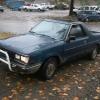
September 20, 200421 yr It has rear disc brakes now... stops on a dime, and the pedal doesn't sink to the floor anymore YAY!
September 21, 200421 yr Author Oh, so it stops so well it cant get going again to make it down here? :cool: No, lol, it' stops well enough that unlike the last trip, I feel safe bringing it down there.... Sorry, I forgot to be more specific, I'm comming down saturday the 26th, I thought friday was too short of a notice.
September 21, 200421 yr Glad to hear it! I know you were getting pretty discouraged with the whole thing after the brakes went south on you. Those rear discs are awsome! Time for a BYB 4/3" lift kit right??
September 21, 200421 yr Glad to hear that, on both counts. When you get the T-Coupe you will need to bleed the brakes again.
September 22, 200421 yr Author Glad to hear that, on both counts. When you get the T-Coupe you will need to bleed the brakes again. Yeah, the brat needs a good bleeding too, I'm just gonna take them both up to Carter Subaru, and have austin use the brake bleeding system up there on the cars.
September 22, 200421 yr Author heh, yeah, it's gettin a lift kit pretty soon... I'm thinking about going with PK cause I hear they're bolt in.
September 22, 200421 yr As only Strong Bad could put it.. Totaly awsome! heh, yeah, it's gettin a lift kit pretty soon... I'm thinking about going with PK cause I hear they're bolt in.

Please sign in to comment
You will be able to leave a comment after signing in
Sign In Now