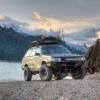
September 23, 200421 yr I still havent fixed my car yet because i am poor, so me and my friend went up in the woods and did burnouts. http://www.ultimatesubaru.org/photos/showphoto.php?photo=2131
September 23, 200421 yr Author Its actually not hard, just take out a front axle so its in rear wheel drive, yank the e-brake up as far as it will go, get the rpm's to about 4500 and drop the clutch. its not very good for the tranny but i have only done it a few times and no problems yet.
September 23, 200421 yr lol. I tried that a few weeks ago when I snapped mine. Clutch just slipped... Nice picture
September 24, 200421 yr Nice. i bet you could find a balance point between the traction of the spinning tires and the clicks on the E brake and slowly crawl forward leving a strip untill the tires popped. Aftermath pictures please!
September 24, 200421 yr i did something like that, but i was in front wheel drive with the hillholder stuck . nice left wheel burn out all the way up the driveway. and i showed up my neighbors with their beater corollas in a reving contest.
September 24, 200421 yr Author You can let the e-brake down a few clicks and leave huge lines i made some about 40 feet, but i couldnt see so i thought i should stop, also i went to look at the lines i left and there was none there, i did it on wet pavement so they just rub off but i did dig a 1/4 inch hole. http://www.ultimatesubaru.org/photos/showphoto.php?photo=2143

Please sign in to comment
You will be able to leave a comment after signing in
Sign In Now