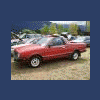
May 2, 200520 yr Hello, I have an 85 Brat with a hitch. I am assuming this is not stock, but wanted to find out if it might be. I'm not the original owner. I am moving from Minneapolis to Portland and considering towing a small U-Haul trailer. I don't see a place to plug in the lights for the trailer so I assume this would need to be added. The hitch says it has a 2000 lb. limit so it sounds like it's ok (minus the lights situation), but I wanted some feedback. Thanks!
May 3, 200520 yr Depending on the trailer youre going to be pretty disappointed on that trip thru the mountains. 2000 pounds is pushing it, 1500 would be okay but still not fun and you better have a good clutch and patience. Yes on the wiring, get a hoppy brand trailer wiring kit, the generic one works fine. They werent stock but frequently were added.
May 3, 200520 yr My '82 BRAT has a hitch on it also, and I always wondered why they didn't do the lighting plug on it. Well, I found the plug while tracing-out wiring issues for 86subaru's '84 BRAT. The plug for the trailer lights was stuffed in behind the PS Tail-light assembly. Pull your light units out and take a look, you might find yours.

Please sign in to comment
You will be able to leave a comment after signing in
Sign In Now