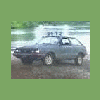
March 10, 200620 yr Has anyone ever gone thru and custom re-upholstered/fabericed/carpeted just about everything on the inside?? Basicly I'm going for a look simular exterior to Turbone's camo hatch WAWalker's new blue hatch(both sweet and clean looking) but different color and I'm going to go thru the pretty much the whole interior and re-doing it in camo...when it's done it'll be one sweet looking camoed out interior with real oak tree camo.....Dash, Sunvisors, Hi-rise arm rest, Door panels, Roof liner...and lastly will be the aftermarket seats re-upholstered in camo and either dark green or a shade of brown carpet. then I'll continue to the exterior. Long term project but I actually do see an end to the mods. ~~Lucas
March 11, 200620 yr It´s a GOOD Idea, I did the Radio adapter with Wood, it looks Good, maybe you can try to use Wood in Some places...

Please sign in to comment
You will be able to leave a comment after signing in
Sign In Now