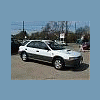
August 18, 200619 yr I just purchased my very first Subaru this week, and I have some problems with the Check Engine Light coming on and staying on...I ran the computer at AutoZone. and IT said Knock Sensor Malfunction.. When the check engine light comes on it retards the timing to save the engine...so its doing its job....but its really getting annoying. I dont want to keep having to slow down and wait for it to go back to normal timing....I have put all new gas in it and put some lucas oil treatment in the motor...thinking maybe its due to bad gas or oil pressure...but it still is doing it....Does anyone know if I can just unhook the Sensor? If so Where would it be located? I would greatly appreciate all the help anyone can give. Thanks Jon 1999 Subaru Impreza Outback Sport AWD 2.2 Mileage: 191,000 Automatic Transmission
August 18, 200619 yr What code (the P0 or P1) number did you read? If you just unplug the knock sensor you're going to run at fully retarded timing as ECU will know knock sensor isn't working. You could unplug the harness and make sure nothing's corroded in there. I've heard of people leaving the sensor connected but pulling it out and wrapping it in bubble wrap and then running premium gas but that could be risky.
August 18, 200619 yr Another vote for just change it. It's not that hard and if you do a search here I think you can find directions.
August 18, 200619 yr Author Thanks guys. I have ordered the new knock sensor. Going to do it over the weekend..
August 18, 200619 yr Usually when you get a single code, just fix/repalce the offending part and all is well. When you get multiple codes it time for a good think... nipper
August 18, 200619 yr And it can be crappy when one part fails up stream and cause codes down stream...
August 18, 200619 yr And it can be crappy when one part fails up stream and cause codes down stream... soobies are pretty good that way, upstream doesnt usually make a failure downstream without throwing multiple codes. The solo failures which are reliable are o2 sensor (which can be confused with a bad cat... cat is usually ok) speed sensor(s) knock sensor position sensor (cam or crank) evap purge valve (i think thats all) Tranny codes are clear cut. The others usually require a good think nipper PS of course my car goes in for inspection this week, so yesterday it threw an o2 code. i cleared it with the scangauge, and hoping it stays away.
August 18, 200619 yr There was just a guy on my BMW board who had a cam sensor failure. The engine ran like crap and poured gas into the cat. Naturally it ruined the cat. He had a few codes before he was done. Hope your code is a little one!
August 18, 200619 yr i used to like BMW's then my sister had a 3 series that got a new tranny every 20,000 miles. Seems they had a habit of wanting to be in drive and reverse at the same time. at tranny #4 she bought it and got a lexus. nipper
August 18, 200619 yr Must have been an automatic. They have been using GM automatics and I forget who is makeing them now. Not an impressive record of reliability with those. BMW is like everybody else, they make some things very well and others are not up to standard. The water pumps have a very poor record of early failure on the sixes. I have a pump made by Stewart and an alloy radiator made by Zionsville on my car because of those weak points.

Please sign in to comment
You will be able to leave a comment after signing in
Sign In Now