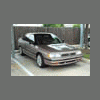
September 3, 200619 yr Took some pictures this weekend of the car, and thought I'd share. Enjoy. http://www.main.experiencetherave.com:8080/subaru/images/legacy1/
September 3, 200619 yr Nice, i see you have the beige interior instead off black. Looks pretty good. I have black though and love it.
September 3, 200619 yr Oh, I see how it is. These clowns over on the USMB come first huh? Not your pals at LegacyCentral. Humph!! Simply beautiful Josh. Simply beautiful. Your car is a constant inspiration for me... one day mine will be that clean.
September 4, 200619 yr No pics of the engine compartment or underside of the car???? Looks good, though. Wish I lived in your climate. Matt
September 4, 200619 yr Author Shiny! What size are those rims/tires? The rims are 16". Tires are 205/50 r16 Goodyear F1 GS-D3's.
September 4, 200619 yr Author Nice, i see you have the beige interior instead off black. Looks pretty good. I have black though and love it. Actually.....since mine is not really an "original" turbo legacy, it just has the normal Legacy L interior. Here are some original pics
September 4, 200619 yr Author No pics of the engine compartment or underside of the car???? Looks good, though. Wish I lived in your climate. Matt I posted pics of the engine stuff a little bit ago http://www.main.experiencetherave.com:8080/subaru/images/td05
September 4, 200619 yr That is one beautiful turbo leg. I love how stock it looks and how mich of a sleeper it is. I bet it could put my wrx in it's place. Maybe I will swap my wagon one of these days:headbang:
September 5, 200619 yr Author I guess it's more or less a turbo legacy.... but it sounds more impressive that it started its life as a FWD AT L.

Please sign in to comment
You will be able to leave a comment after signing in
Sign In Now