Skip to content
View in the app

A better way to browse. Learn more.

Ultimate Subaru Message Board

A full-screen app on your home screen with push notifications, badges and more.

To install this app on iOS and iPadOS
  1. Tap the Share icon in Safari
  2. Scroll the menu and tap Add to Home Screen.
  3. Tap Add in the top-right corner.
To install this app on Android
  1. Tap the 3-dot menu (⋮) in the top-right corner of the browser.
  2. Tap Add to Home screen or Install app.
  3. Confirm by tapping Install.

Yay! Got my Subaru!

Featured Replies

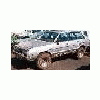
I picked-up Mudrat79's '83 GL 4WD Wagon this weekend. It is as advertised. Straight body and good upholstery. The carpet is not bad, but it's 20 years old. I think I will rip it out and replace it with two or three coats of Herculiner.


The car runs strong. I drove it around a fair amount last weekend (but not off-road). I still have some mods planned.


Mudrat79's lift is pretty cool. There is LOTS of daylight under the car! I bought it for a trailhead and dump car, but I'm looking forward to trying my hand at wheelin' it--maybe on the Xmas tree run.

  • Author
Originally posted by MilesFox

enjoy the rubber floor mat!


Was that yours? EZ or one of the guys there threw it in. Do you want it back?
Please sign in to comment

You will be able to leave a comment after signing in

Sign In Now

Account

Navigation

Search

Search

Configure browser push notifications

Chrome (Android)
  1. Tap the lock icon next to the address bar.
  2. Tap Permissions → Notifications.
  3. Adjust your preference.
Chrome (Desktop)
  1. Click the padlock icon in the address bar.
  2. Select Site settings.
  3. Find Notifications and adjust your preference.