Skip to content
View in the app

A better way to browse. Learn more.

Ultimate Subaru Message Board

A full-screen app on your home screen with push notifications, badges and more.

To install this app on iOS and iPadOS
  1. Tap the Share icon in Safari
  2. Scroll the menu and tap Add to Home Screen.
  3. Tap Add in the top-right corner.
To install this app on Android
  1. Tap the 3-dot menu (⋮) in the top-right corner of the browser.
  2. Tap Add to Home screen or Install app.
  3. Confirm by tapping Install.

Did a little body work Memorial day weekend!

Featured Replies

Don't just leave us hanging............:dead:


I took the Buggy out Memorial weekend and put a good 60 miles on it,

but I'm not making any blank posts about it?


Instead, I'm hijacking one,:lol:


Took it up in the Uinta Mountains we went through snow at about the 9000 ft level. Buggy ran fine.:cool:

  • Author

Ok...ok! I'm sorry! Here are some pic's i'll get more!:Flame:


There was a little rust/rot but not now:banana:
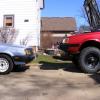
Picture008.jpg


Picture003.jpg

Please sign in to comment

You will be able to leave a comment after signing in

Sign In Now

Account

Navigation

Search

Search

Configure browser push notifications

Chrome (Android)
  1. Tap the lock icon next to the address bar.
  2. Tap Permissions → Notifications.
  3. Adjust your preference.
Chrome (Desktop)
  1. Click the padlock icon in the address bar.
  2. Select Site settings.
  3. Find Notifications and adjust your preference.