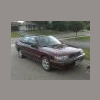
October 11, 200718 yr Hi my name is brendan. Im looking at getting a 92 2.2 turbo legacy touring wagon. My brother also drives a 98 outback 5spd. this is the car i hope to pick up. [/img] And here is my brothers outback. [/img]
October 11, 200718 yr That turbo Legacy is beautiful. Welcome to the club. The guys over at bbs.legacycentral.org cater to us Turbo Legacy owners. If you get it, you should stop over there and say hi too. -Brian
October 12, 200718 yr This is how it looks when the tide is coming in as you were strolling down the beach with your girl. Nice Subarus, new stuff, ... and yea... I am a bit bored tonight, don't mean to pick on yea... all good... Welcome too the board and another photo of how a fish would look on top...... (got too get off these back shifts... late night humor)
October 12, 200718 yr This is how it looks when the tide is coming in as you were strolling down the beach with your girl. Nice Subarus, new stuff, ... and yea... I am a bit bored tonight, don't mean to pick on yea... all good... Welcome too the board and another photo of how a fish would look on top...... (got too get off these back shifts... late night humor) Reminds me of the infamous nicky nighteyes floating soob pic

Please sign in to comment
You will be able to leave a comment after signing in
Sign In Now