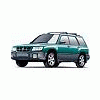
November 22, 200718 yr Hi all, I'm thinking of trading in my Forester for a Tribeca. I have a few questions I'm hoping you guys and gals can help with. My main reason for trading is I need a bigger storage space. Can anyone tell me what the height and width of the hatch opening is? (btw, I'm only interested in the 2008 5-seat Tribeca). Also, is there much more of a step-in height to the driver's seat? For any Tribeca owners, how do you feel about the vehicle? Thanks for all responses! Kevin
November 22, 200718 yr Hi. Check this out: http://www.cars101.com/subaru/tribeca/tribeca2008.html scroll down about half way and it has a picture with all the dimensions, and tons of other info. The '08 Tribeca gets the new 3.6L H6.
November 22, 200718 yr Hi. Check this out: http://www.cars101.com/subaru/tribeca/tribeca2008.html scroll down about half way and it has a picture with all the dimensions, and tons of other info. The '08 Tribeca gets the new 3.6L H6.And 7 quarts of oil per oil change!
November 22, 200718 yr And 7 quarts of oil per oil change! Why don't they have a turbocharged version? that would be one mean tribeca.....
November 22, 200718 yr Author Thanks for the replies! Apparently the Tribeca only has 2 inches more floor to ceiling height in the hatch opening than my Forester. Not gonna work, oh well. :-\
November 22, 200718 yr Yep, that is why I gave up on the "big" Subarus and got a Chevy truck. I had a Forester or two and was excited when I first heard about the Tribeca. The original Tribeca with the caveat of only Premium gas made the operating expense the same as my truck. I still stayed loyal to Subaru by getting an Imp for commuting. BTW my sister loves her Turbo Charged Forester and it meets 95% of her hauling needs. My truck gets called for the other 5%.

Please sign in to comment
You will be able to leave a comment after signing in
Sign In Now