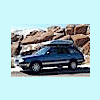
February 11, 200818 yr Anyone in the colorado contingent wanna come a long for short ride to 200k?? Every mile on that odometer is me (it was reset at 0 when I had beefaru built in 1996). Kind of a really cool milestone - I'm stoked!! I was thinking a short jaunt up to genesee or redrocks for a photo. Company would be great if anyone wants to ride shotgun. Gotta do it soon though, I'm runnin' outta miles fast! --Eric
February 11, 200818 yr Very well done My brat just turned over 264,000 I've only put 64 or so thousand on mine. I can't make it to your run but I thought I would say, Job well done for keeping you Suby alive.
February 16, 200818 yr Author Thanks guys!! We rolled the odometer over yesterday. Having driven all of those 200k myself, it was a really cool feeling. Hard to put into words. Here's a post I did with story, video, map and a couple photos. http://www.ultimatesubaru.org/forum/showthread.php?t=85318

Please sign in to comment
You will be able to leave a comment after signing in
Sign In Now