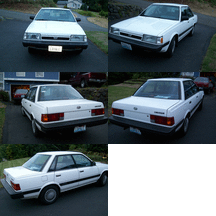
June 28, 200817 yr I recently took the mat out of my Loyale Sedan trunk to clean it off. When I put it back in I notice in the floor of the trunk kind of left of center, there was a bracket with a threaded hole in it. It kind of looks like it may be for holding a spare tire or something. But my spar tire is in the engine. Does anyone know what this threaded hole is supposed to be for?
June 28, 200817 yr It's for holding the Flat Full size when you put the spare on. Look down in the cubbys and you might find the threaded rod and *wingnut* type holder.
June 28, 200817 yr yeah i have see these before, its for the spare. i think the threaded 'wingnut' is a little different for the rear()longer) but is the same thread. but who wants to unload their whole car just to change a flat tire?
June 28, 200817 yr It's for holding the Flat Full size when you put the spare on. Look down in the cubbys and you might find the threaded rod and *wingnut* type holder. That's how it works on a Legacy, but the Loyale's didn't work that way. There is enough room to accomidate the full size stock tire under the hood and they didn't come with a hold-down for the trunk area. I'm not sure what it is but it's not for the flat tire. GD

Please sign in to comment
You will be able to leave a comment after signing in
Sign In Now