Skip to content
View in the app

A better way to browse. Learn more.

Ultimate Subaru Message Board

A full-screen app on your home screen with push notifications, badges and more.

To install this app on iOS and iPadOS
  1. Tap the Share icon in Safari
  2. Scroll the menu and tap Add to Home Screen.
  3. Tap Add in the top-right corner.
To install this app on Android
  1. Tap the 3-dot menu (⋮) in the top-right corner of the browser.
  2. Tap Add to Home screen or Install app.
  3. Confirm by tapping Install.

Whats up with this???

Featured Replies

How come the Brumbys got those cool rear bumpers where there is nothing in between the corners while here in the states all we got were the full bumpers? I kinda like the way those Aussie bumpers look, more utilitarian :banana:

Just a random thought

-Bill

weird eh that a lot of aussies want a US style bumper..


You could make your bumper look similar by taking out the metal part and leaving the plasic corners?

  • Author

It looks to me that the unibody beneath our bumpers is different than yours, its just flimsy and there is no place for the license plate. Yours I would guess is a little more beefed up, and it has that recess for the plates, yes?

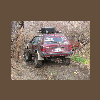
Hmm...

You send me a hatch back and I'll send you a Brumby. k?

Please sign in to comment

You will be able to leave a comment after signing in

Sign In Now

Account

Navigation

Search

Search

Configure browser push notifications

Chrome (Android)
  1. Tap the lock icon next to the address bar.
  2. Tap Permissions → Notifications.
  3. Adjust your preference.
Chrome (Desktop)
  1. Click the padlock icon in the address bar.
  2. Select Site settings.
  3. Find Notifications and adjust your preference.