December 8, 200817 yr is that your ol'lady yackin in the last video? i like her."go straight,no to the left stuff.ahh, that kills me!:lol:they sqay that cause they know they don't have to get it out. nice,you look like you want to lift that thing.:brow:whens that gonna happen?cheers, brian
December 8, 200817 yr Author is that your ol'lady yackin in the last video? i like her."go straight,no to the left stuff.ahh, that kills me!:lol:they sqay that cause they know they don't have to get it out. nice,you look like you want to lift that thing.:brow:whens that gonna happen?cheers, brian That's actually the O'Ladies best friend. I'm building a 2' lift right now.
December 8, 200817 yr nice,should be fun.....we are lookin at maybe gettin an outback or forrester next year for her.for now i will stick with the old school.cheers, brain
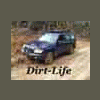
December 8, 200817 yr nice, we like fozzies over at dirtyimpreza.com too since you don't have snow you have to get what you can. I swear it looks like an elephant could step out into sight any second. foresters ('99) rule Edited December 8, 200817 yr by 98obster
December 9, 200817 yr Author nice, we like fozzies over at dirtyimpreza.com too since you don't have snow you have to get what you can. I swear it looks like an elephant could step out into sight any second. foresters ('99) rule No elephants but their are alligators back there.

Please sign in to comment
You will be able to leave a comment after signing in
Sign In Now