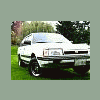
February 2, 200917 yr http://www.cnn.com/video/#/video/living/2009/02/02/frozen.lake.racing.kusa Thats me with the hat and sun glasses!!! Also a shot of my wagon sliding across the ice Mods i was un sure of where to post this feel free to move.
February 2, 200917 yr Oh that brings back memories. I used to do that back in a small lake in NY state. So much fun. I wish we could find a frozen lake here in WA to do that.
February 12, 200917 yr ya I saw that I plan to go check out on the 14th or 15th when ever the next open stock one is .
February 20, 200917 yr yo9u need to hook up with marjorie parker danny.........:lol:kidding, or not..cheers,brian
March 7, 200917 yr Dibs on the ice racing girl. Just kidding. (kindof) Wierd seeing guys you know on CNN video. Come to Trivia sometime Danny!
March 7, 200917 yr cool Danny! you got National exposure! LOL . yea joining my local SCCA this weekend and gonna start gettin into rallying more. I have a need for speed!
May 20, 200916 yr I wish we had snow/ice here in Australia. The best we have to play with is dirt (especially when its muddy, but thats only when it rains which aint often)

Please sign in to comment
You will be able to leave a comment after signing in
Sign In Now