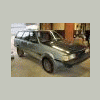
February 28, 200917 yr [ATTACH][ATTACH] before after [/ATTACH][/ATTACH] the hedlight bucket was the hardest thing to pull out, the bending forces pulled it about 6 ways or more up down in out etc. etc. but over all the lines are straight the hedlight glass is about a 1/4 inch out , but i need to get her back on the road,
February 28, 200917 yr I think you did a very good job, it looks very straight and the panels fit well. When can you do mine? :-p
February 28, 200917 yr Author I think you did a very good job, it looks very straight and the panels fit well. When can you do mine? :-p Rode trip, i think the north west has some of the most beautiful scenery in the world, im looking at a vacation there in the spring, your lucky to look at mountains and awsome trees every day... Gods country
February 28, 200917 yr You Did a Great Job! ... and I Like the Way your Subie Looks in Two Colours! ... What about the Bumper?

Please sign in to comment
You will be able to leave a comment after signing in
Sign In Now