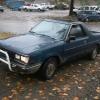
January 25, 200422 yr I've got a carter-webber intake on my brat, and I was curious if anyone had any good information on how vacume lines should be routed, or what emissions stuff is really that important or not, I know the pvc valve is actually useful, but what about other stuff like the charco canister and what not? Theres so many hoses on their and I have no idea what any of them do, and I know theres a major leak cause I can really hear it when the engine is running... any info at all is very much apreciated, thanks:)
January 25, 200422 yr charol canister can go pm me if you want the emissions removal instructions.. Someone send it to me, and I'll pass it on
January 25, 200422 yr If you can hear it then it is probably the metal/rubber line from the EGR valve. Behind the carb to the drivers side of the EGR is a large diameter line the runs into the ASV system. At start up run your hand around there to see if you feel any holes or leaks. You can also use an inspection mirror to see the underside of the hose/pipe. I have ran into this line problem before. Moisture and such rust the pipe.
January 26, 200422 yr Author is this that 4 inch long elbow pipe that runs from the intake to the back area of piston 3 into the block?
January 26, 200422 yr Any chance that the ASV reed valve is toast? If so, that's something that needs to be fixed ASAP.
January 26, 200422 yr Author very possible, this is a moter that has alot of miles and sat for a few months... what is the asv valve and what does it do, and where can I find it?

Please sign in to comment
You will be able to leave a comment after signing in
Sign In Now