Skip to content
View in the app

A better way to browse. Learn more.

Ultimate Subaru Message Board

A full-screen app on your home screen with push notifications, badges and more.

To install this app on iOS and iPadOS
  1. Tap the Share icon in Safari
  2. Scroll the menu and tap Add to Home Screen.
  3. Tap Add in the top-right corner.
To install this app on Android
  1. Tap the 3-dot menu (⋮) in the top-right corner of the browser.
  2. Tap Add to Home screen or Install app.
  3. Confirm by tapping Install.

Another Road Trip

Featured Replies

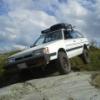
My wife and I along with the same group of friends went to my family's camp in down east Maine this weekend. Had a great time, did a lot of fishing, had great weather and had a chance to do a little wheeling!! Here are some pics!

picture.php?albumid=158&pictureid=1442

picture.php?albumid=158&pictureid=1437

picture.php?albumid=158&pictureid=1441

picture.php?albumid=158&pictureid=1439

picture.php?albumid=158&pictureid=1431

picture.php?albumid=158&pictureid=1433

picture.php?albumid=158&pictureid=1436

Edited by bratman18

  • Author

Oops sorry, I posted in the wrong place, mods Please move

Edited by bratman18

  • Author
Hey, make sure your around when I swing thru on the 23rd or 24th.


I'm gonna see what I can do!!! It all depends on what time you'll be coming through. It so hard to get time off work:mad:! But it would be best if it were later in the day, but again, I'll see what I can do, I'd definitely like to meet you!!

Please sign in to comment

You will be able to leave a comment after signing in

Sign In Now

Account

Navigation

Search

Search

Configure browser push notifications

Chrome (Android)
  1. Tap the lock icon next to the address bar.
  2. Tap Permissions → Notifications.
  3. Adjust your preference.
Chrome (Desktop)
  1. Click the padlock icon in the address bar.
  2. Select Site settings.
  3. Find Notifications and adjust your preference.