Leaderboard
-
brus brother
Members3Points2889Posts -
2212CC
Members2Points4Posts -
GeneralDisorder
Members2Points23391Posts -
alexbuoy
Members1Points183Posts




Popular Content
Showing content with the highest reputation on 10/13/18 in Posts
-
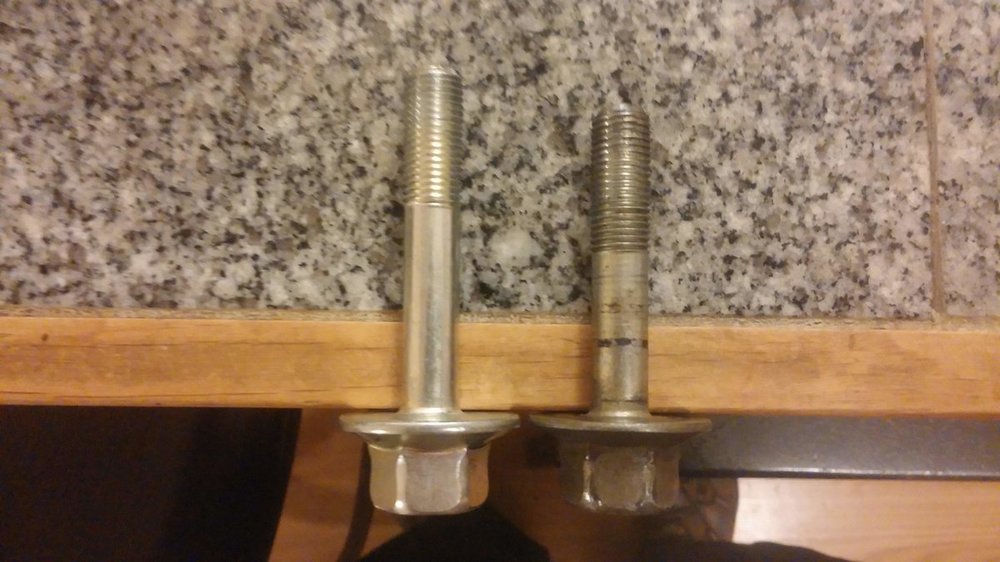
2 pointsI just wanted to follow up and say thank you again for the info! I got the 73mm crank bolt for the 2000 2.5 and wala the extra 6mm or so was perfect. I also got a 13mm "bottom tap" to clean up the threads in the back of the hole but it was not needed. My mechanic got it torqued down , he was really impressed. Everyone was thinking the engine was toast or we needed to try one of those threaded inserts. And 13mm is a non standard bolt size so "fastener" supply type places just laugh when I asked. Its nice to have an alternator and power steering again. Fingers crossed it keeps the car on the road a few more years.
 2 points
 -
search google for partsgeek coupons. There may be a better code (or maybe you can combine since what I sent you was for doing a post purchase review) There is a $15 off $300 available online and hey $15 is $151 point
-
sent you a Partsgeek coupon code for a whopping $51 point
-
My center carrier bearing was shot so I ordered from PartsGeek. Have 190K miles on the car. 2005 Subaru Outback Driveshaft - 65-7001 A1 Cardone - $241.98went for the cheapest options as recommended by board members. Yours is a little pricier. Hunt around for discounts/coupons. your model link1 point
-
Almost finished my tube chassis and mounted the sliders on the passenger side1 point
-
No - never buy that Chinese junk from autozone. Here's a smokin deal on an OEM JECS sensor: https://www.ebay.com/itm/NEW-UNISIA-JECS-KNOCK-SENSOR-P-N-22060-AA031/332812539727 GD1 point
-
Buy a new sensor. Cleaning it is not likely to work. GD1 point