
Leaderboard


Popular Content
Showing content with the highest reputation on 05/24/20 in all areas
-
Those are all the interchangeable. Look up the parts numbers at a subaru website and you'll find them listed as superceded under one part number and/or applicable to the same vehicles.1 point
-
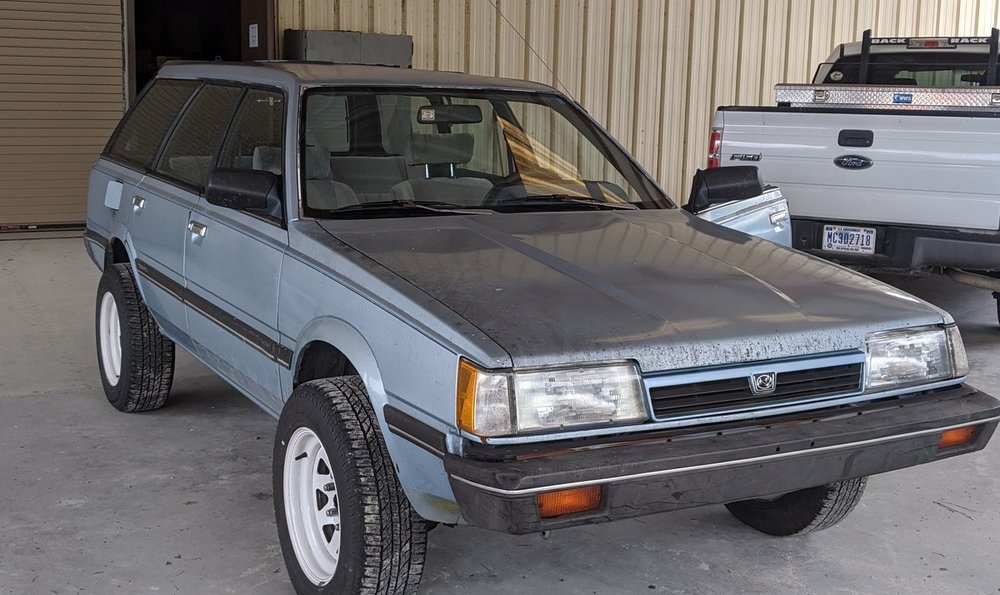
1 pointThe whole front end was trashed, and had like 2 inches of play in the steering wheel and wandered all over the place on the road. First thing I did was replace shocks, springs, tie rods, ball joints, did a 6-lug swap, and lifted it 3" with a 1.5" subframe drop. I bought the cheapest 15x7 wheels I could find and some 26"ish Yokohama Geolandars and threw them on (I don't like the stance; too little backspacing but I'll fix that later with some different wheels). I drove it with the destroyed head gasket for a few months until I got tired of going through a quart of oil per week. I also grabbed a Loyale grille from a JY (the stock one was missing a "tooth") and now she looks like this:
 1 point
