Skip to content
View in the app

A better way to browse. Learn more.

Ultimate Subaru Message Board

A full-screen app on your home screen with push notifications, badges and more.

To install this app on iOS and iPadOS
  1. Tap the Share icon in Safari
  2. Scroll the menu and tap Add to Home Screen.
  3. Tap Add in the top-right corner.
To install this app on Android
  1. Tap the 3-dot menu (⋮) in the top-right corner of the browser.
  2. Tap Add to Home screen or Install app.
  3. Confirm by tapping Install.

Leaderboard

Popular Content

Showing content with the highest reputation on 07/24/21 in all areas

  1. 1 point
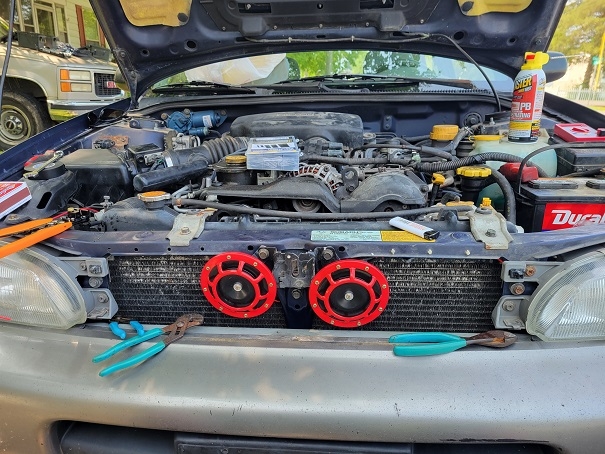
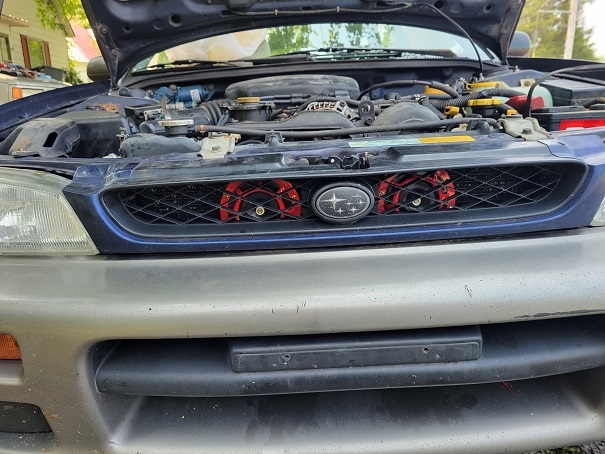
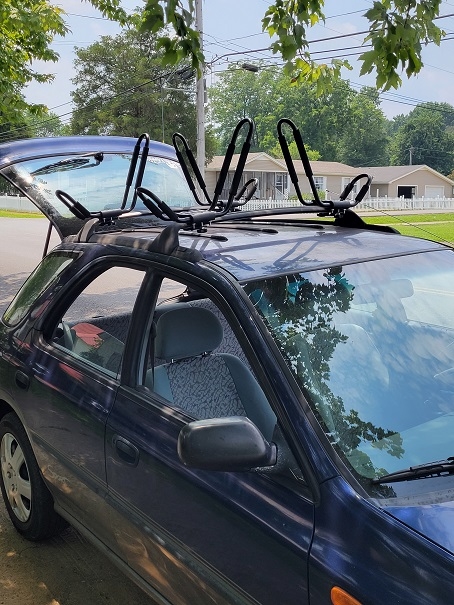
    I bought my 97 impreza outback sport to beat around in ,haul my yacks, and drive back and fourth to work. With in a couple weeks i was very impressed with the old ride. 29 mpg, and it had very well kept Currently I've replaced the factory horn with a set of hella horns, and putt a set of J racks atop of it to haul my kayaks. Thinking of a suspension lift ,and some supplemental lighting as well, we'll see, but as of right now i love my subaru.
  2. Thanks guys. What a big job for a little problem. Other than that, I love Subarus.

Account

Navigation

Search

Search

Configure browser push notifications

Chrome (Android)
  1. Tap the lock icon next to the address bar.
  2. Tap Permissions → Notifications.
  3. Adjust your preference.
Chrome (Desktop)
  1. Click the padlock icon in the address bar.
  2. Select Site settings.
  3. Find Notifications and adjust your preference.