frankspinz
Members
-
Joined
-
Last visited
Everything posted by frankspinz
-
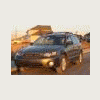
I did something for my wife's 2006 Legacy Wagon: I bought her some company ! My own 2005 Outabck Wagon... His & hers Subies ... My other vehicle is a 2003 Xterra off-road "enhanced" For the Subaru: I polished the headlights. Pulled out the heater core that was half blocked by debris, cleaned it out reinstalled everything and put in a cabin air filter. The heater is now operating great ! A must for us in the great white North !
-
Reviving an old post ! I couldn't help adding this cool one:
-
I'm surprised no one has mentionned ARB off-road products. They have 4 compressors that deliver outstanding performance and reliability. A permanently mounted compressor has the advantage of not taking up precious cargo area. But if under-hood space is at a premium, there is a kit that comes in a carry case with all the accessories you need. I have an off-road modified 2003 Nissan Xterra with ARB lockers and on-board air. A must for serious offroading. For the Subaru, on extended trips to remote fishing and camping areas: two cheap compressors do the job. Use them both to accelerate inflating the four tires. If one fails, I have the 2nd one ! (I do not sell ARB products - I'm just a user and a fan !)