Skip to content
View in the app

A better way to browse. Learn more.

Ultimate Subaru Message Board

A full-screen app on your home screen with push notifications, badges and more.

To install this app on iOS and iPadOS
  1. Tap the Share icon in Safari
  2. Scroll the menu and tap Add to Home Screen.
  3. Tap Add in the top-right corner.
To install this app on Android
  1. Tap the 3-dot menu (⋮) in the top-right corner of the browser.
  2. Tap Add to Home screen or Install app.
  3. Confirm by tapping Install.

Completed Project Pics EA81 4" lift

Featured Replies

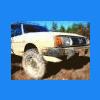
Thanks to everyone on the USMB that provided help/assistance with this project. it's not quite complete, but it's on the road. Front axle replacement is next; then I'll look into the other minor issues (minor drivers side floorboard leaks, dead AM/FM radio, etc)


Well, enough bs, here are a few pics (iphone pics, so they're pretty poor..)


I used a "Slideshow" 4" lift kit, and those are VW wheels with SJR's VW adapter plates.. 215 75 R15 BFG's fit with just a tad of BFH work on the

inside lip of the front wheel wells...


Cheers!!


picture.php?albumid=184&pictureid=1825


and another...

picture.php?albumid=184&pictureid=1826


here's what I started with... bone stock, original paperwork from sale on Aug 5, 1981 in Englewood, CO. ok, the rack wasn't stock but you know whatta mean.. :)


picture.php?albumid=184&pictureid=1675

very nice. We should have a easy to medium difficulty offroad day somewhere in the middle between Iowa and Arkansas, I would be willing to do a drive in my BRAT (i have the same lift kit),

Geez I love the look of a lifted wagon. They are so pimp.

looking good bro!


I love the tires and rims. look very sharp

looks really good! i like the stocky feel to it! :banana:

Please sign in to comment

You will be able to leave a comment after signing in

Sign In Now

Account

Navigation

Search

Search

Configure browser push notifications

Chrome (Android)
  1. Tap the lock icon next to the address bar.
  2. Tap Permissions → Notifications.
  3. Adjust your preference.
Chrome (Desktop)
  1. Click the padlock icon in the address bar.
  2. Select Site settings.
  3. Find Notifications and adjust your preference.