Skip to content
View in the app

A better way to browse. Learn more.

Ultimate Subaru Message Board

A full-screen app on your home screen with push notifications, badges and more.

To install this app on iOS and iPadOS
  1. Tap the Share icon in Safari
  2. Scroll the menu and tap Add to Home Screen.
  3. Tap Add in the top-right corner.
To install this app on Android
  1. Tap the 3-dot menu (⋮) in the top-right corner of the browser.
  2. Tap Add to Home screen or Install app.
  3. Confirm by tapping Install.

New Subi.... *Updated*

Featured Replies

how well does that 2.2 power that thing does it have plenty of power up the hills and how r the cv axels holding up :grin:

  • Replies 179
  • Views 40.3k
  • Created
  • Last Reply

Top Posters In This Topic

  • Author

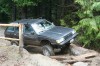
The EJ power is fantastic it really gets up and goes even with 31's. and off the road it works well also.

  • 1 year later...

Great writeup Reid. Impressive workmanship for being a student and on a budget at the time. Here are some shots I took of it last year at the meet in Bellingham.


Hope you don't mind me posting.


cheers, Bryan


IMG_7787-XL_zpsf1dec841.jpg

IMG_7785-XL_zps52f47d3f.jpg

IMG_7784-XL_zpse7695a21.jpg

  • 1 month later...
  • Author

havent been on the forums in a while, thought I would post up a few pictures of the car with new tires and a few more small mods.... Front bumper is in the works :rolleyes:

photo_zpsc9e03571.jpeg

558518_4472312696946_1392477281_n_zps784f8542.jpg

wxss14-337-57-X3.jpg

Edited by 88Subi4x4

Please sign in to comment

You will be able to leave a comment after signing in

Sign In Now

Account

Navigation

Search

Search

Configure browser push notifications

Chrome (Android)
  1. Tap the lock icon next to the address bar.
  2. Tap Permissions → Notifications.
  3. Adjust your preference.
Chrome (Desktop)
  1. Click the padlock icon in the address bar.
  2. Select Site settings.
  3. Find Notifications and adjust your preference.