November 9, 201114 yr The previous owner probably bypassed the temp sensor and wired the fan so that it would stay on as long as the car is on or on "acc". It is a pretty common half-a** fix.
November 10, 201114 yr Author Cool, thanks. Funny thing was that he complained that it takes a little while to warm up! =)
November 14, 201114 yr Author I didn't know that, thanks. I only have one fan on this 1.8. Is that standard?
November 14, 201114 yr There should be a mechanical fan on the WP pulley. The electric fan does come on with ac, and the relays are located on the firewall behind the strut. the fan is powered by the accessory circuit see if the fan operates with the terminal on the radiator unplugged. IF it does, it would be ac relay related. if not, the thermo switch is stuck closed(on the radiator) if you unplug it, you can make the fan come on by jumping the thermoswitch terminals. you can make a manual switch here at these connectors to override the thermoswitch.
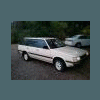
November 18, 201114 yr Author Thank you. I think it may have had ac once because the pulleys have the 2 grooves but now just one belt. There is no mechanical fan, just a full time electric fan. I will send a pick as soon as I can figure out how to. Thanks.

Please sign in to comment
You will be able to leave a comment after signing in
Sign In Now