March 31, 201214 yr Got my rear part of my 2" lift on no problem on my 87 Gl-10. I was looking at the front and was wondering what is the easiest/safest way to get the spacers on the strut tops. Do I need a spring compressor? Or if i just unbolt the three bolts at the top will the hold strut tower be able to drop down enough for me to install the spacer? or haha should i just remove the whole strut. Really I just wanted to make sure i didnt lose my hand with some crazy spring accident while trying to put this lift on. Thanks! Lee
March 31, 201214 yr Author great! im quite relieved haha. thanks for the help. will try to figure out how to post some pics when im done.
April 2, 201214 yr are the two inch blocks a solid piece or are they multiple blocks.If they are a bunch of 1x2" blocks than you can just unbolt the strut top from car and put them on.If the blocks are one piece ala SJRlift then you will have to remove the strut from the car to install them.
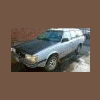
April 3, 201213 yr Author its a BOSS 2 inch so yeah its one solid block. i had to take the strut out, but got them in. should get it rollin today! thanks for the help

Please sign in to comment
You will be able to leave a comment after signing in
Sign In Now