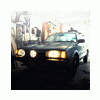
August 17, 201213 yr Thanks for all your wonderful help with my 87 ea82 guys. But I have just sold her no less than an hour ago sad to see her go but I needed something safer and more reliable. So I recently acquired this bad boy. she's a 2005 2.5rs and it's called the gravel wagon. Full skiplate and diff protector, K sport gravel spec coilovers, light bar, lightened pulleys, strut braces, swaybars, fender braces, roof scoop, 04 wrx hood scoop, bumpin system, apexi exhaust. I love love love it!!! currently it's lowered 1" and stiff for track use but in the winter I will be putting my hankook studded ice pikes on and raising the car 2" above stock.
August 17, 201213 yr Nice upgrade... I loved my fleet of EA82's but once you go to an EJ bodied car its hard to go back
August 18, 201213 yr I agree. The Impreza chassis is incredible and it feels very GL like in size and fun. Lots of the time I wonder why I upgrade the old body cars since most of the time I should just be putting the old trans in the new body instead.
August 18, 201213 yr Imprezas are like old school in wheel base so much more nimble than any Legacy. Real nice car you got there! Trash the 80's lol
August 19, 201213 yr Nice upgrade Our next rig will be a brand new 5-door. Well.... the WIFES next rig will be a new 5-door. I really like the impreza chassis too. It is the perfect size.

Please sign in to comment
You will be able to leave a comment after signing in
Sign In Now