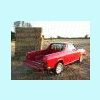
October 24, 201213 yr Hi folks I acquired this in July - it's my first Gen 2. I sold my Daihatsu F20 / Rocky / Taft to make room for it - it keeps things simple, having the same engine as my '81 Gen 1 MV / BRAT! I've always liked the hatchbacks, so it was nice to find this. It needs some welding on the rear arches and seatbelt mounts, plus the front wings were removed (the beneficiary? A BRAT!) The brown stuff you can see is the anti-rust treatment applied when it was new: I've been busy buying "new old" Gen 2 parts to help save this car; here's a genuine driver side wing, complete with 25 year's worth of dust, now almost impossible to get in the UK: In its new home, which it shares with a lot of parts! This won't be a speedy resto but I thought it's worth saving - I'm determined it will shine again once more! Plans include getting the wheels brilliant white again and fitting those cool 4WD stickers on the sides (I have red ones!) and single round headlamps to the front (got the full kit)
October 24, 201213 yr We have those Daihatsu Rocky / Feroza here... but I really like much more the Subaru Hatchback! ... Nice Find and Great restoration Project! Kind Regards.
December 2, 201510 yr Great find, especially on that side of the pond. Always loved those, keep us posted. Edited December 2, 201510 yr by tundrabrat

Please sign in to comment
You will be able to leave a comment after signing in
Sign In Now