Skip to content
View in the app

A better way to browse. Learn more.

Ultimate Subaru Message Board

A full-screen app on your home screen with push notifications, badges and more.

To install this app on iOS and iPadOS
  1. Tap the Share icon in Safari
  2. Scroll the menu and tap Add to Home Screen.
  3. Tap Add in the top-right corner.
To install this app on Android
  1. Tap the 3-dot menu (⋮) in the top-right corner of the browser.
  2. Tap Add to Home screen or Install app.
  3. Confirm by tapping Install.

How to Lift your Legacy without a Lift Kit

Featured Replies

On 2/24/2013 at 7:34 PM, eulogious said:

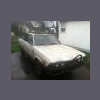
P83185700.jpg


If you don't want to shred your axels, a full lift is needed.  I have a 3" SJR lift with 07/08 Forester struts and the axels are at more of an angle, but nothing extreme and I have had no issues so far, but it's only been lifted a month.


As for placement of the blocks, engine mounts, trans mounts, rear subframe, and any other place where the body attaches to the suspension.  It was at least 17 different places, if not a few more.  Literally every place the body and the suspension meet.

How much did all the actual lifting cost you. I have basically the same care and want to copy you :) hhaha

  • Replies 50
  • Views 26.7k
  • Created
  • Last Reply

Top Posters In This Topic

Most Popular Posts

  • If you don't want to shred your axels, a full lift is needed.  I have a 3" SJR lift with 07/08 Forester struts and the axels are at more of an angle, but nothing extreme and I have had no issues so fa

  • wow, i could go ANYWHERE if only i had a 1/2" lift on a lego....

  • Oh, and for the steering extenstion, I just used a steering shaft from an 96/97 outback and it worked great.  It was the perfect length, and I didn't have to weld it :-)

Please sign in to comment

You will be able to leave a comment after signing in

Sign In Now

Account

Navigation

Search

Search

Configure browser push notifications

Chrome (Android)
  1. Tap the lock icon next to the address bar.
  2. Tap Permissions → Notifications.
  3. Adjust your preference.
Chrome (Desktop)
  1. Click the padlock icon in the address bar.
  2. Select Site settings.
  3. Find Notifications and adjust your preference.