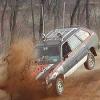
April 27, 200421 yr after we got unstuck, we took eyesore into the nearest town until we could make our way back home. just as you would have it, the ball joint popped out, and tore the axle out of the DOJ. luckily we found 4 of the bearings under the car, one in the doj, and one 200 feet behind. i got it all back together, saving the axle, but the circlip is missong, and the boot is gone. but it got us back to coon rapids no problem. i used some steel cable to tie the ball joint to keep it from popping out again. miles fox saves the day! sorry tom never heard from me, was pulling his hair trying to locate his car, till it up and shows up in his driveway. i say get new ball joints!!!!
April 27, 200421 yr seems to me that this is reason for a "service call" for me to go and fix his car again
April 27, 200421 yr As its been told, you were instructed to leave the car at the farmers? Unless im mistaken. -Brian
April 27, 200421 yr the plan was simple: 1. get the cars out of the mud 2. leave them at the farmer's house I was less worried about my car than my parents were. at least it's not a problem as far as how to retrieve the cars now
April 27, 200421 yr That's the thing about Fox. Things might not get done according to plan, but they will, in some way, shape, or form, get done. Keep on truckin', Miles.
Please sign in to comment
You will be able to leave a comment after signing in
Sign In Now