January 27, 201412 yr I've been stalking Craig's list for months looking for a forester xt. But the truth was I did not have enough money for one.. The other day I was looking on there and saw one for $5k! No info other than miles and needs work. Started talking to the guy, come to find out its an auto... Bummer... So I offered him $3k cash for it thinking ill just flip it, he said he was interested. Went and looked at it the next day (partially thinking it might have been a scam) saw the car driving by thinking I was at the wrong house... Turns out he was the original owner, had a stack of paper and services 3" thick on the car since he bought it in 04 and it just needed a turbo! Well that was true it was toast! And sadly it only has 10k on it... It was almost new he had just replaced it before he moved to Oregon.. Huge fail on eldons automotive, didn't change out the banjo bolt filter....Should have a turbo by the end of this week!Huge score! And My wife is happy!+ Edited January 27, 201412 yr by Prwa101
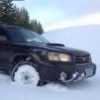
February 21, 201412 yr Author Yeah got the new turbo in it a week ago, polished and ported tdo4. It rides so nice! And can get it on. My wife has been driving it, and has had two people already want to race her haha.

Please sign in to comment
You will be able to leave a comment after signing in
Sign In Now