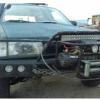
February 11, 201610 yr Author From what ive read these motors have over sized rod bearings sized for a 2.0 they also use the same lower end crank bearings rods on the turbo models and they pump them to the off road guys lug the isht out of there's and of all the problems these motors have its rearly the lower end I think my problems are more oil and heat related but all that sead there is no way its not putting more stress on everything I'm thinking my main bearings are shot and I need more air to the radiator as my skid plate / bumper blocks a lot of the air flow at high speed add the winch and its worse I think the motor design can handle the extra torque but I think the motor needs to be in top shape to do so once I get my house together I'll get back to playing with my ea82s but for now little blue and its motor are just gona have to hang out even with all the problems its still free revs faster and has more pull than my friends ea82t I think I'm on the right track
February 11, 201610 yr Author Machine it thanks your spacers look way better than mine do though I hope you get similar results
February 11, 201610 yr EA 82 rod and main bearings are larger than EA 81. I fail to see how the bearings could ever be a problem. Provided they have proper lubrication.

Please sign in to comment
You will be able to leave a comment after signing in
Sign In Now