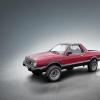
October 15, 201510 yr I'm looking for a donor car for my Brat Ej22 swap. I read that the 99-01 version of the EJ22 has a bit more hp? Can anyone recommend what to look for?
October 16, 201510 yr If your going 1999-2001 EJ222 for more HP, you might as well go EJ251 for even more hp 1990-1994 are going to be the easiest due to being OBD-1. 1997-1998 are the first interference EJ22E's, they have a little more compression and power over 1996 and eariler 1997-1998 EJ22E with a 1990-1994 EJ22E Intake and electronics/ ECU would probably be perfect I think all N/A 2.2L were rated around 130hp. N/A 2.5's are almost all 165hp Edited October 16, 201510 yr by matt167
October 16, 201510 yr http://www.ausubaru.com/forum/showthread.php?p=240334#post240334 this may help the second list is Subaru Engine Specs, 1985-2008 also http://www.ausubaru.com/forum/showpost.php?p=205500&postcount=18 Edited October 16, 201510 yr by Henpecked
October 16, 201510 yr i'd stick with Phase I 1998 and earlier - 99+ Phase II EJ22's have more headgasket and lower end issues than older EJ22's. Not worth the meager HP bump IMO. more power EZ30 or turbo.
October 16, 201510 yr @Henpecked and @ Grossgary the list says 1995-2001 EJ22 are all Phase II-is this true, or is it just a generalized "lumping" of all the engines in that era as a Phase II?
October 17, 201510 yr @Henpecked and @ Grossgary the list says 1995-2001 EJ22 are all Phase II-is this true, or is it just a generalized "lumping" of all the engines in that era as a Phase II? Hmmm Good Q, I thought that Phase 2 was only released in 99. So you could be right, need a more knowledgeable person than me for that question. Sorry

Please sign in to comment
You will be able to leave a comment after signing in
Sign In Now