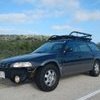
October 15, 20205 yr Hey all. Recently got a 98 Legacy Outback on the cheap. Prior owner said the AWD doesn't work. Checked the 2WD fuse, not installed. Driveshaft is all there. No grinding or growling. Drove it up a wet grassy hill and compared it to my 2011 Outback and the 98 sure slips a lot compared to the one that I know works. Any real way to know for sure that the AWD is not engaged/working? I have a parts legacy that I can swap trans and diff over from but obviously don't want to if not necessary.
October 15, 20205 yr Find a gravel area and stop the car. Watch the tires and have someone hit the gas. Do all 4 wheels spary gravel?
October 15, 20205 yr Author Would putting it on jack stands and putting it in drive show me anything?
October 15, 20205 yr 12 hours ago, bucktailpath said: Hey all. Recently got a 98 Legacy Outback on the cheap. Prior owner said the AWD doesn't work. Checked the 2WD fuse, not installed. Driveshaft is all there. No grinding or growling. Drove it up a wet grassy hill and compared it to my 2011 Outback and the 98 sure slips a lot compared to the one that I know works. Any real way to know for sure that the AWD is not engaged/working? I have a parts legacy that I can swap trans and diff over from but obviously don't want to if not necessary. I think this sort of establishes it. Can you go to the same place put in the FWD fuse and see if there is a difference? How is the tranny fluid? Edited October 15, 20205 yr by nipper
October 15, 20205 yr 1 hour ago, bucktailpath said: Would putting it on jack stands and putting it in drive show me anything? 4 sturdy jack stands

Please sign in to comment
You will be able to leave a comment after signing in
Sign In Now