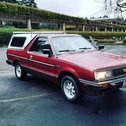
April 22, 20214 yr I just installed this fantastic Radio Shack FM modulator on my BRAT. This box hardwires in to the stereo's antennae input and gives you an aux cord to plug in phones, and I use a little aux bluetooth receiver too. I love that my devices are actually jacked in and not using a FM broadcast device where you constantly have to reprogram what frequency you're on to fight with different local radio stations. The audio quality is fantastic! Now I'm noticing my phone fits nicely into the cubby underneath the factory stereo. I really want to build in a wireless charging pad so I can throw my phone there and keep it charged super easily. Anyone have experience integrating a wireless charge pad? The easiest thing for me to do would be setting a normal USB wireless charger in the cubby and plugging the charge pad in to the cigarette lighter. I wonder if there are better charging pads built to plug in to the car's power system and live in this cubby more permanently. I'm half curious to hear if anyone else has done this and half super stoked to figure out something myself. Thought I'd share the idea. Here's the FM modulator I was able to install. The box really did fit in to empty space in the console quite nicely. I've even got a toggle switch to activate the FM modulator to switch between the aux input or the normal radio. It all came together absolutely clean so far.https://www.amazon.com/Radio-Shack-FM-Stereo-Modulator/dp/B0711P3KTK/ref=sr_1_4?dchild=1&keywords=fm+modulator&qid=1619076767&sr=8-4 Edited April 22, 20214 yr by Geluso making image visable
April 22, 20214 yr Original radio! Respect! I couldn’t find one in Oz to save myself!! I have the complete unmolested garnish piece but no radio. One day... one day it might happen. Great adaptation work around. I’ll have to see if there’s anything locally here that’ll do the same thing. I’m currently using my first gen iPod touch with JBL flip5 Bluetooth speaker as my stez... Cheers Bennie
April 22, 20214 yr Did you have to splice into the factory harness with the modulator, or was it plug and play?
April 22, 20214 yr Author Oh man el_freddo you just reminded me I've got an old iPod. I'll have to dig that up and keep it in the car now. I spliced 12v power off the light for the ash tray, which I really don't use. The inputs and outputs off the box after connecting power are super plug and play. The box has RCA left and right stereo inputs (which I attached a RCA to 1/8" aux cord to). It has a cord to plug your antennae into, and it has an output antennae cord that goes into the factory stereo. The box came with its own on/off switch as a wire on the 12v power line. I cut off the box's power switch and attached it to this toggle switch that already existed by my steering wheel. Shopping for wireless coils now and it looks very promising. Edited April 22, 20214 yr by Geluso make image viewable

Please sign in to comment
You will be able to leave a comment after signing in
Sign In Now