October 20, 200421 yr k new is usualy better than 25-30 years old and thank you for your time since I forget to say that and again thank you
October 21, 200421 yr ahhhhh, i would put them on my 83 wagon, and that's the reaction i would want. it definately would stand out. it's ok, maybe one day someone in Japan will come on the board that speaks english. yeah, thanks alot for checkin though. if i come across any 70's subaru i'll hit you up. not very many in the seattle metropolitan area.
October 23, 200421 yr Author Hello every one just came back from our first subaru meeting I"ll have pictures tomorrow adios. ahhhhh, i would put them on my 83 wagon, and that's the reaction i would want. it definately would stand out. it's ok, maybe one day someone in Japan will come on the board that speaks english. yeah, thanks alot for checkin though. if i come across any 70's subaru i'll hit you up. not very many in the seattle metropolitan area.
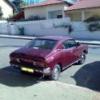
October 24, 200421 yr Author pictures: my brat,alon"s gft,moshe"s 79 sedan,gidi"s 78 wagon and tim"s great xt turbo enjoy Hello every one just came back from our first subaru meeting I"ll have pictures tomorrow adios.
December 10, 200421 yr found side mirrors http://www.subaru.kz/history.html Republic of Kazakhstan http://www.foreignword.com/Tools/transnow.htm http://www.president.kz/ return of the woody wagon!

Please sign in to comment
You will be able to leave a comment after signing in
Sign In Now