Skip to content
View in the app

A better way to browse. Learn more.

Ultimate Subaru Message Board

A full-screen app on your home screen with push notifications, badges and more.

To install this app on iOS and iPadOS
  1. Tap the Share icon in Safari
  2. Scroll the menu and tap Add to Home Screen.
  3. Tap Add in the top-right corner.
To install this app on Android
  1. Tap the 3-dot menu (⋮) in the top-right corner of the browser.
  2. Tap Add to Home screen or Install app.
  3. Confirm by tapping Install.

window banners

Featured Replies

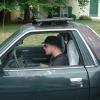
i might be able to get some window banners made to fit the old school subies, mainly the sedans. the guy that makes the stuff is a friend of my friend's parents. i think he does it as a home business or something like that. if there is any interest in this he might be willing to make em. i thik he said something like $30 for the front and rear banners, im guessing solid with "subaru" across em. and possibly the old school logo on each side.

  • Author

i beleave they would be exterior style. i never noticed that link you have there, shows how much attention i pay to the little things.but either way, ill be getting one from the guy i know, he will make em to fit the windows, front and rear.

Please sign in to comment

You will be able to leave a comment after signing in

Sign In Now

Account

Navigation

Search

Search

Configure browser push notifications

Chrome (Android)
  1. Tap the lock icon next to the address bar.
  2. Tap Permissions → Notifications.
  3. Adjust your preference.
Chrome (Desktop)
  1. Click the padlock icon in the address bar.
  2. Select Site settings.
  3. Find Notifications and adjust your preference.