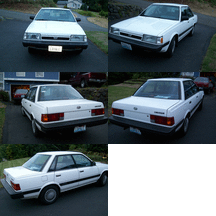
February 20, 200521 yr Hello there. Can I aska dumb question? I am new to this forum and was reading the discussions about EA81 and EA82 engines. I have a 1993 Subaru Loyale 4Dr Sedan. I have the 1800 engine with TBI and DOHC. But I don't see anything where it is called EA81 or EA82. Or does this have nothing to do with my engine?
February 20, 200521 yr You have an EA82 If you closely at the front of the block it will be cast there It will also be cast in front of the exhaust outlets on the head. Fuel system SPFI Single Point Fuel Injection It is a SOHC Single Over Head Cam one cam per bank of two cylinders Hope this helps
February 20, 200521 yr your body style and engine are refered to a EA82..you have the SPFI engine 85-89 gl.dl.rx, 90-94 loyale oh and even though you have a cam on each side its not a DOHC, your car is a SOHC....there are 2 heads...
February 20, 200521 yr Author your body style and engine are refered to a EA82..you have the SPFI engine 85-89 gl.dl.rx, 90-94 loyale oh and even though you have a cam on each side its not a DOHC, your car is a SOHC....there are 2 heads... Yes, you are correct. Thanks for pointing that out!
February 21, 200521 yr hey dont feel bad i joined this forum about a month ago and when i first came here i was trying to figure what they were talking about, you learn pretty quick though lol

Please sign in to comment
You will be able to leave a comment after signing in
Sign In Now