Skip to content
View in the app

A better way to browse. Learn more.

Ultimate Subaru Message Board

A full-screen app on your home screen with push notifications, badges and more.

To install this app on iOS and iPadOS
  1. Tap the Share icon in Safari
  2. Scroll the menu and tap Add to Home Screen.
  3. Tap Add in the top-right corner.
To install this app on Android
  1. Tap the 3-dot menu (⋮) in the top-right corner of the browser.
  2. Tap Add to Home screen or Install app.
  3. Confirm by tapping Install.

Cool Magazine ad

Featured Replies

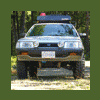
I was upstairs at the coffee roasters this morning getting my daily grind for the espresso machine, and started flipping through a local backcountry adventure mag (Off-Piste) that was on the desk. Come to the back cover and what do I see?:


soobad2.jpg


They thought I'd gone nuts!

If'n it makes you feel any better...


I work down at a local mall, repairing computers. My "tech bench" is located about fifteen feet from the parking lot doors. This gives me plenty of viewing space to the parking lot. Every time I see a earlier model Subaru go past that's in relatively good shape (not often, in Albany, NY), I go ape...


The other techie's think it's hilarious...

That's too cool. Peelin' that snice back like only a Ru could!:D


Upstairs at the roasters? Man, and all I have to look forward to is a can of Folgers.;)

  • Author

Yah, and downstairs is a great microbrewery! I work in middle heaven.

Please sign in to comment

You will be able to leave a comment after signing in

Sign In Now

Account

Navigation

Search

Search

Configure browser push notifications

Chrome (Android)
  1. Tap the lock icon next to the address bar.
  2. Tap Permissions → Notifications.
  3. Adjust your preference.
Chrome (Desktop)
  1. Click the padlock icon in the address bar.
  2. Select Site settings.
  3. Find Notifications and adjust your preference.