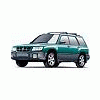
August 9, 200619 yr There my 2000 Forester was, sitting minding it's own beeswax, when along comes a storm and crashes a limb onto it! Oh well, that's why we have insurance I guess, (and credit cards, I have $1000 deductible...no big screen tv this year).
August 9, 200619 yr This brings up the age old question... "When a Tree falls on a Forester...does it make a Noise?":lol: I feel your pain. Been there done that! I sometimes wonder if Foresters attract trees. http://www.ultimatesubaru.org/photos/showphoto.php?photo=12290&cat=500&ppuser=584 http://www.ultimatesubaru.org/photos/showphoto.php?photo=12291&cat=500&ppuser=584
August 9, 200619 yr This brings up the age old question... "When a Tree falls on a Forester...does it make a Noise?":lol: Ha Ha... very good
August 12, 200619 yr Author Sorry, no pics. This is also the second car that was hit by a tree. The first was a '73 MGB, but in that case the car was totaled, and it was the end of a love/hate relationship. If you know MG's, you'll know what I mean Btw, the answer is: " when a tree falls on MY Forester, *I* make a noise, and it sounds a lot like crying...":banghead:
August 12, 200619 yr I'm pretty sure that if a tree falls on a Soob, or any other car for that matter, it says "Crunch." MGs... British Leyland = Lucas Parts = Constant Electrical Problems = Hair Loss = Screaming!!! My first car in 1970 was an Austin America. Lucas everything. Transverse engine, lovely car, major hemmeroid! Engine died 11 months from new. Engine replaced, no Lucas parts worked right after that!!! I think ANY car will weep when hit by a tree, and even if HITTING a tree! Sorry to hear about that...
August 13, 200619 yr Author The MG had 2 6 volt batteries behind the seats, and the contacts constantly failed. TWO engines blew in a year, and someday I will tell the story of breaking down on the Bronx-Whitestone bridge...BIG fun!

Please sign in to comment
You will be able to leave a comment after signing in
Sign In Now