Skip to content
View in the app

A better way to browse. Learn more.

Ultimate Subaru Message Board

A full-screen app on your home screen with push notifications, badges and more.

To install this app on iOS and iPadOS
  1. Tap the Share icon in Safari
  2. Scroll the menu and tap Add to Home Screen.
  3. Tap Add in the top-right corner.
To install this app on Android
  1. Tap the 3-dot menu (⋮) in the top-right corner of the browser.
  2. Tap Add to Home screen or Install app.
  3. Confirm by tapping Install.

Answer this for me

Featured Replies

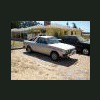
Ok, A guy is offering me a 87 GL 4 door hatchback. I am drawing a blank on what this looks like. I was thinking maybe he meant a trunk lid but he e-mailed me back and said it is a hatchback. Anybody have a picture of one of these? I have a 85 GL-10 sedan so I figured that was what he was talking about. I know there are 2 door hatches but a 4 door? Help!

  • Author

That's what I thought. I guess I better try to get this guy to send me a picture to see what he is talking about. Thanks.

4 Door Hatchback *could* mean a wagon. A wagon is technically a hatchback.

  • Author

Yeah I just thought of that. I don't know why I could not seem to figure that one out. Being the former owner of 2 87 wagons and a 89 wagon. I just don't think of a wagon as a hatchback. I guess some people do.

  • Author

Just sent him a e-mail to make sure.

Please sign in to comment

You will be able to leave a comment after signing in

Sign In Now

Account

Navigation

Search

Search

Configure browser push notifications

Chrome (Android)
  1. Tap the lock icon next to the address bar.
  2. Tap Permissions → Notifications.
  3. Adjust your preference.
Chrome (Desktop)
  1. Click the padlock icon in the address bar.
  2. Select Site settings.
  3. Find Notifications and adjust your preference.